How can I submit, view, & update Support requests?
Use the 'Support portal' on GP's Support site when making Support requests.
Submitting a Support Request
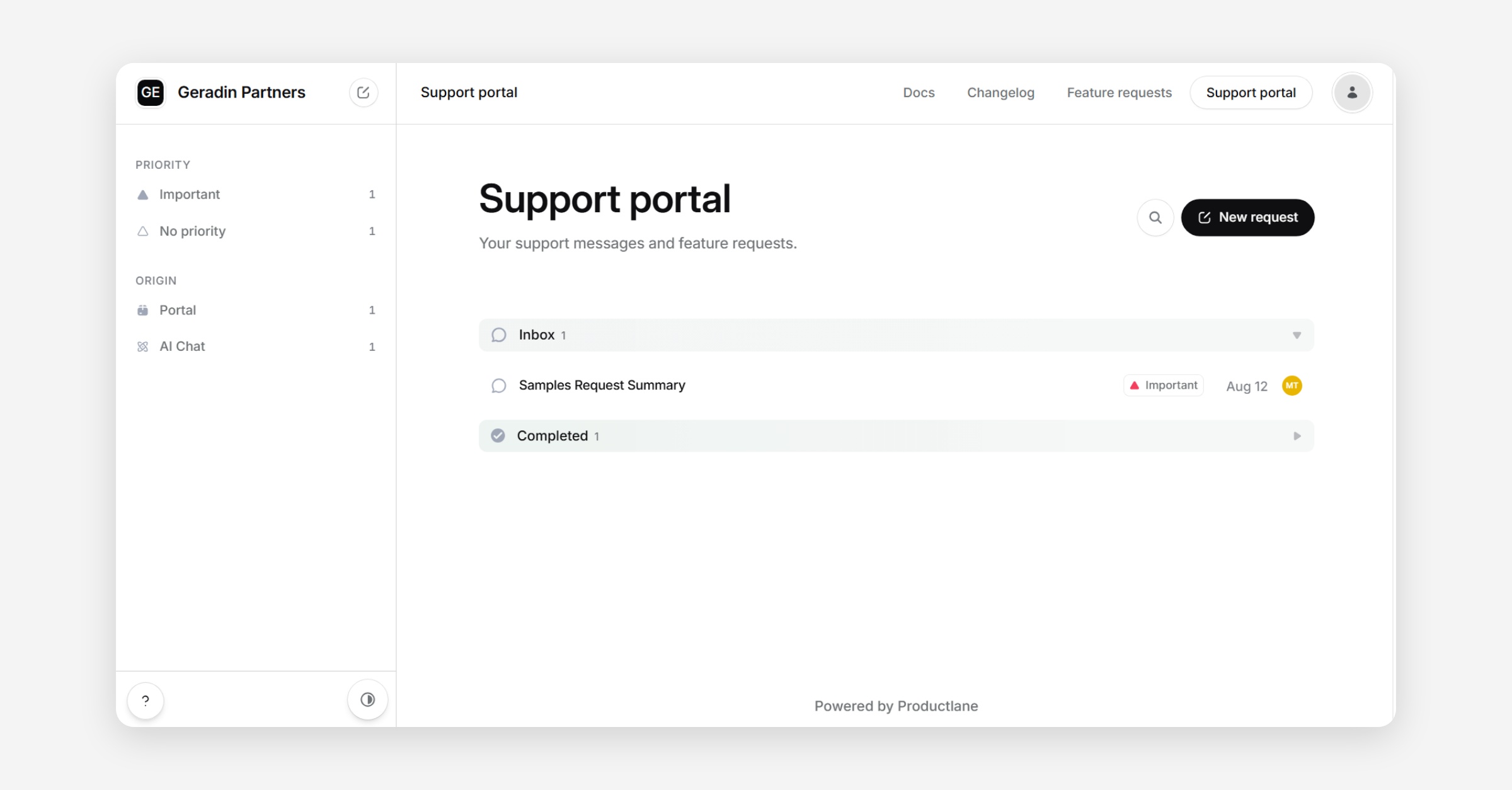
To submit a request for AI-related support, navigate to 'Support portal' within the Productlane interface (https://geradin-partners-dev.productlane.com/support) and select 'New request' in the upper right-hand corner (see top image in pair below).
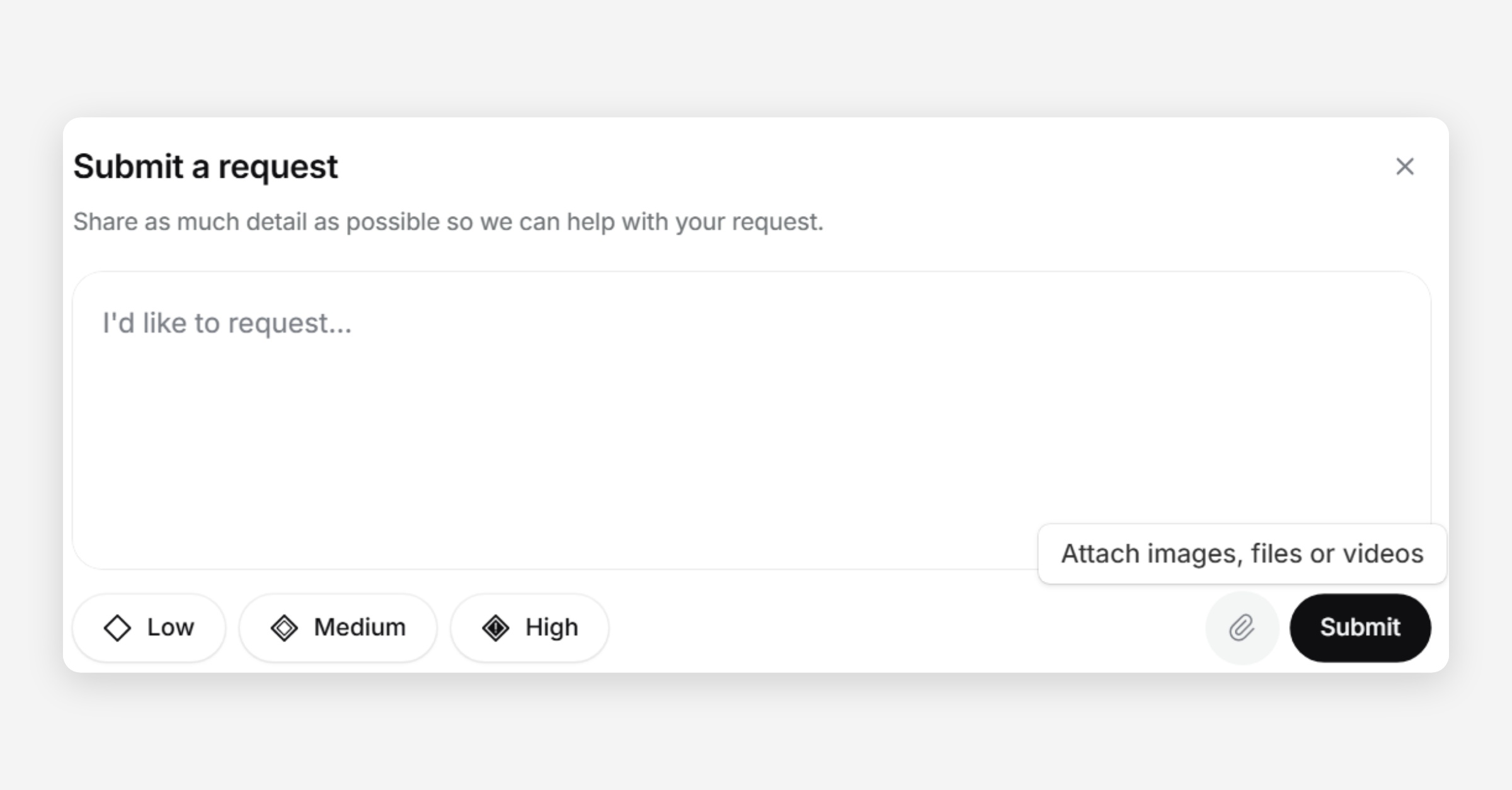
Provide request details, upload relevant files using the icon in the lower right-hand corner of the request box, and indicate the request’s level of urgency (Low, Medium, or High) (see bottom image in pair below).
Viewing & Updating Your Support Requests
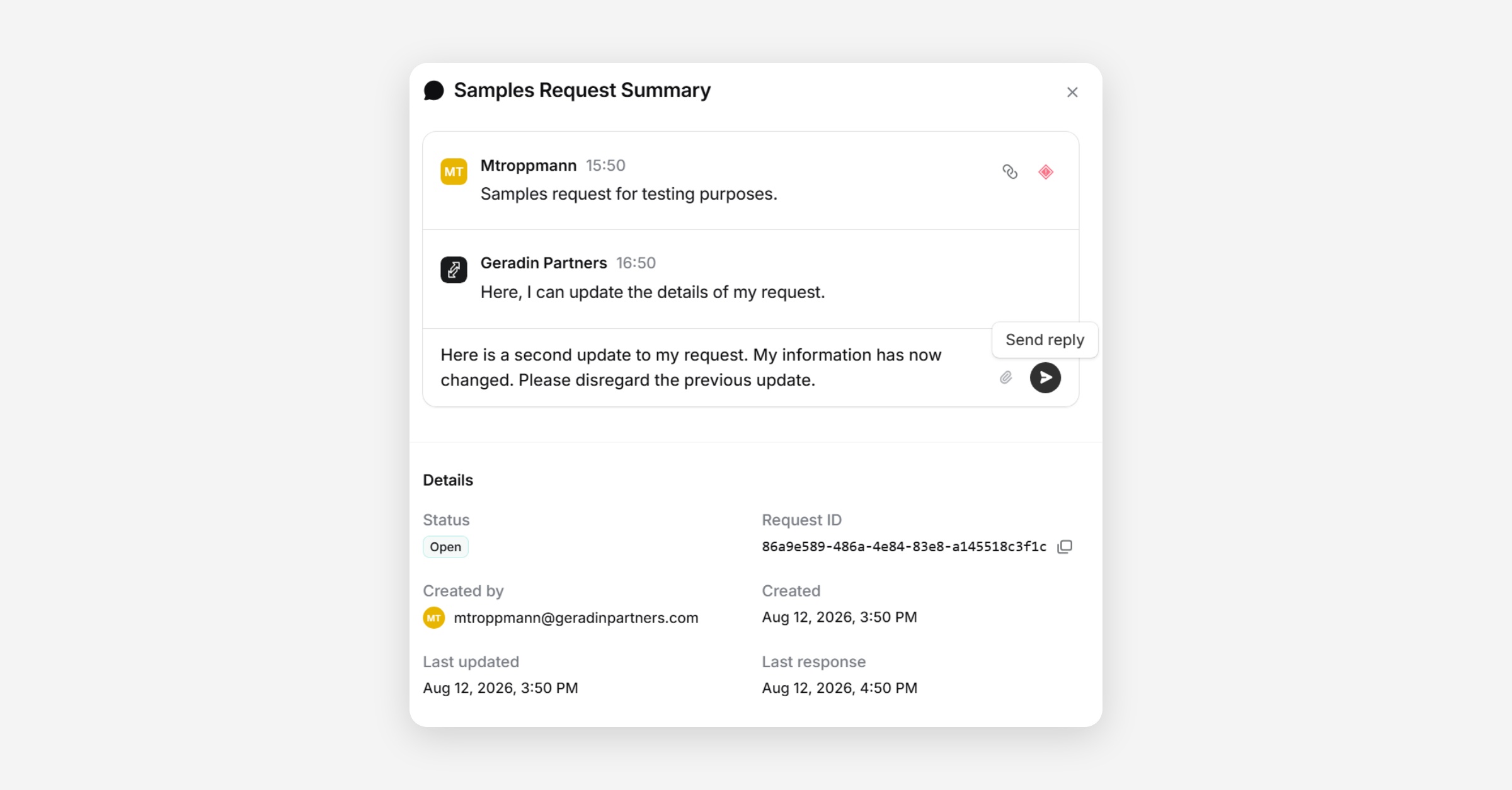
To view the status of your support request, select a request from your list of requests and examine the ‘Status’ indicator. To update your request if new details become available or if existing details become obsolete, provide replies to your existing request (see image below).
Was this helpful?